

Picture a day when email pings never stop, tabs fill the screen, and enrolling one new student turns into ten tiny steps: send the welcome email, update the spreadsheet, tag them in your email tool, invite them to the community, set a follow‑up reminder. At some point you think, there has to be a better way—and that question is really, what is workflow automation and why is everything harder without it?
Many course creators, coaches, and service providers live that kind of day on repeat. Work only moves when someone is at the keyboard. Nothing is wrong with the offers or clients; the problem is that every small task depends on manual effort. Add a bit of tech anxiety and it can feel like automation is only for big teams with big budgets.
We see it differently. Workflow automation is the bridge between constant scrambling and calm, repeatable systems. It lets you move from trading hours for dollars to running smart processes that support revenue in the background. In this guide, we will explain what workflow automation is in simple language, show real examples from everyday tasks, and give clear steps even non‑technical entrepreneurs can follow. By the end, you will know what to automate first, how the pieces fit together, and how Streamline and Shine can support you so you are not figuring it out alone.
Key Takeaways
-
Workflow automation uses software rules to run repeatable business tasks—such as sending emails or updating records—without constant manual input, saving time and energy every day.
-
A workflow is the step‑by‑step path a task follows; automation is the rule that says “when this happens, do that.” Together, they move tasks between apps and stages with fewer clicks.
-
Core benefits include higher productivity, fewer mistakes, and more free hours each week. Many solo entrepreneurs gain ten or more hours simply by stopping manual data entry and follow‑ups.
-
Modern tools are built for regular users. Visual builders, drag‑and‑drop blocks, and ready‑made templates make it possible to set up meaningful automations by following clear instructions.
-
The easiest way to start is with one high‑impact process such as lead follow‑up or invoice reminders. Small wins build confidence. Streamline and Shine supports this with DIY training and done‑for‑you builds so owners can choose the level of help that feels right.
What Is Workflow Automation? Breaking Down The Basics

When we talk about workflow automation, we are combining two simple ideas.
A workflow is the series of steps that must happen to reach a result. For a new coaching client, that might be:
-
Send a contract
-
Collect a signature
-
Take payment
-
Add the client to your calendar
-
Send a welcome packet
Those steps repeat every time a client signs up. That repeating pattern is the workflow, even if it only lives in your head or on a sticky note.
Automation is the part that tells your software what to do when the first event happens. For example, when a client signs a contract and pays, an automation can:
-
Create a client folder
-
Send a welcome email
-
Invite them to a private portal
-
Add them to a nurture sequence
That simple trigger‑and‑action setup sits at the heart of what workflow automation is.
When we combine workflow and automation, the whole process can run on its own. Instead of asking a human to remember ten tiny moves, your system passes information from form to email tool to calendar automatically. For course creators this might mean instant course access, community invites, and lesson reminders. For service providers, it could cover everything from lead intake to offboarding. At Streamline and Shine, we see solo entrepreneurs use workflow automation every day to support steady income without constant hustle.
How Does Workflow Automation Actually Work?

Every workflow automation follows one clear pattern: something happens (the trigger), and then one or more actions run in response.
Example: A student buys a course.
-
Trigger: Purchase is completed.
-
Actions: Add the student to the course platform, send a welcome email, and notify the coach in a messaging app.
To go from idea to working system, we use a few practical steps that non‑technical owners can follow:
-
Pick a repeating manual task. Choose something you do often, such as sending welcome emails, adding leads to a spreadsheet, or reminding clients about calls.
-
Map the workflow. Write down each step from trigger to result: “New lead fills out form → lead is tagged → welcome email goes out → lead can book a call,” and so on.
-
Choose your tools. Select an automation platform that connects the apps you already use. Many Streamline and Shine clients rely on tools such as Zapier, Make, or ActiveCampaign to move data between email, payment, and course systems.
-
Build the automation. Use the visual builder to add a trigger and the actions that follow it, matching each block to the steps on your map.
-
Test and refine. Run tests with sample data, then adjust steps, wording, or timing until everything runs smoothly.
“Automation applied to an efficient operation will magnify the efficiency. Automation applied to an inefficient operation will magnify the inefficiency.”
— Bill Gates, Business @ the Speed of Thought
When we guide clients at Streamline and Shine, we break each stage into tiny, friendly actions. Many students arrive nervous about tech and leave saying it feels like following instructions for flat‑pack furniture.
The Biggest Benefits Of Workflow Automation For Entrepreneurs

For entrepreneurs who feel buried under small tasks, the value of workflow automation shows up in daily life, not just in theory.
1. More time back.
When you stop copying data between tools, writing one‑off follow‑ups, or juggling reminders, you open up whole blocks of time. Many business owners gain ten to twenty hours per week once a handful of automations are in place. Those hours can go into serving clients, building a course, or resting.
2. Quiet, steady productivity.
Automated workflows run all day, every day. New leads get the right emails even if you are away from your desk. Payment reminders go out on schedule. Tasks that used to pile up move calmly from step to step so the business keeps working while you sleep or do deep work.
3. Fewer mistakes.
Manual processes invite errors: missed digits, skipped steps, or emails sent to the wrong person. A well‑built workflow runs the same way every time, which means fewer billing issues, fewer missed welcome emails, and a smoother experience for clients and students.
4. Lower costs and easier growth.
With smart automation, you may not need as much admin help just to keep up with routine work. A small team can serve more people without feeling overwhelmed. Late payments drop when reminders go out on time, and less time is spent fixing avoidable problems. For many Streamline and Shine clients, this is the point where their business starts to feel like a system instead of a never‑ending to‑do list.
Common Workflow Automation Examples For Course Creators And Service Providers
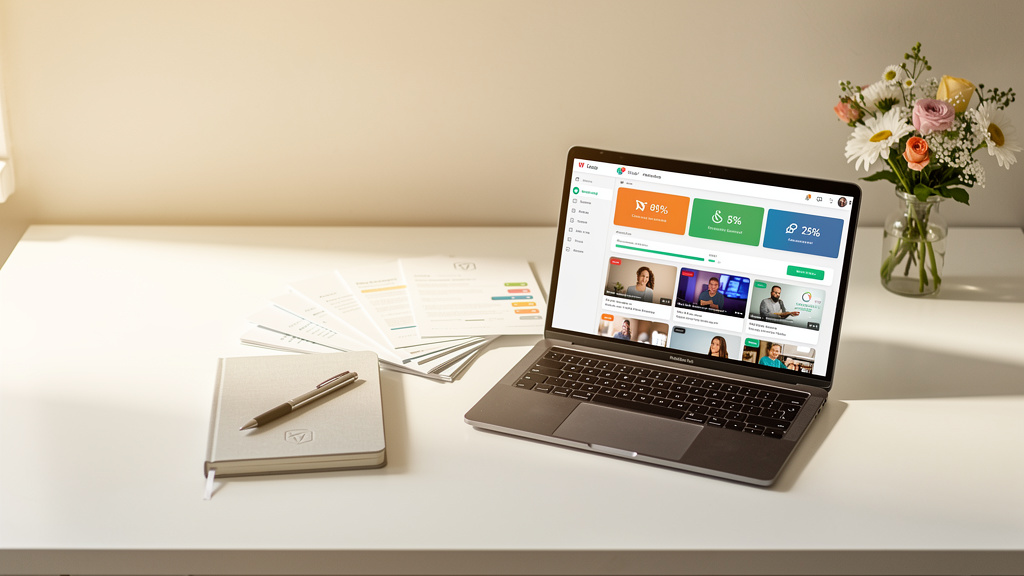
Big ideas are helpful, but seeing workflow automation inside daily tasks makes it real. Here are common places where course creators, coaches, and service providers start.
-
Lead nurturing. New subscribers often sit in a list with no follow‑up. With automation, every new contact enters a short welcome sequence, gets tagged based on interest, and can be flagged when they click to book a call.
-
Course enrollment. When a student buys, the system can grant course access, send login details, invite them to a student group, and schedule reminder emails. What once felt stressful during a launch becomes consistent and professional.
-
Client onboarding. A single new client may need a contract, invoice, welcome form, scheduling link, and project plan. An automation can send contracts, create invoices, deliver a welcome packet, and add a project to your task tool as soon as payment arrives.
-
Invoices and payment reminders. Instead of remembering to send each invoice and chase late payments, a workflow can create invoices at key project stages, email them to the client, and follow up politely when they are past due.
-
Content and appointments. Social posts, newsletters, and blog updates can be queued and scheduled. Calendar tools can let clients book only during certain time blocks, while automations send confirmations and reminders so both sides show up prepared.
At Streamline and Shine, we build these kinds of workflows every week and see how a few small changes in these areas can free up a huge amount of mental space.
How To Choose The Right Workflow Automation Tool
Once you understand what workflow automation is, the next question is which tool to use. There is no single best pick, but a simple checklist can make the decision easier:
-
Ease of use. Look for a clean visual builder with drag‑and‑drop steps, clear labels, and helpful templates. If a tool feels confusing in the first hour, it is unlikely to feel better later.
-
App connections. Your automation tool must connect to the systems you already use—email, payments, course platform, calendar, CRM, and any other key apps. Strong integrations reduce double data entry and keep records accurate.
-
Flexibility. Every business has its own mix of offers and steps. You want a tool that can handle simple if/then rules and branching paths without making things complicated.
-
Room to grow. As your business grows, you will likely add more workflows and more contacts. Check that your chosen platform can handle higher volumes without slowing down or becoming too expensive.
-
Support and learning resources. Good documentation, chat support, and user communities matter when you get stuck. At Streamline and Shine, we often help clients review their current tech stack and choose tools—such as Zapier or ActiveCampaign—that fit both budget and long‑term plans.
Think of the tool as the engine and your workflows as the routes. Both matter, but a clear route does more for your day‑to‑day sanity than the fanciest engine.
Actionable Tips To Get Started With Workflow Automation Today

Knowing what workflow automation is does not change anything until you take action. The good news: you do not need a full overhaul. One well‑chosen workflow can change how your week feels.
-
Pick one annoying, repeatable task. Examples: adding new leads to your list, sending replay links after calls, or nudging clients about unpaid invoices.
-
Write the steps on paper. List what happens from start to finish so you can see the process clearly before touching any software.
-
Choose a tool that fits your current apps. Check that it connects to your email service, payment platform, course site, and calendar. A free trial is usually enough to test the basics.
-
Build a simple first version. For instance: “When someone fills out a website form, add them to my email list and send a welcome message.” Keep it short so it is easy to test.
-
Run several tests. Submit the form or make a test purchase as if you were a client. Confirm that tags, emails, and calendar events match your written steps.
-
Tweak wording and timing. Adjust subject lines, message content, and delays based on what feels natural to you and your clients.
-
Get help if you feel stuck. There is no award for doing automation alone. Streamline and Shine offers step‑by‑step training for DIY‑minded owners and done‑for‑you builds for those who want to hand over the details.
How Streamline And Shine Can Help You Master Workflow Automation
If this article gives you ideas and makes you a bit nervous, you are not alone. Many entrepreneurs know they need better systems but worry about breaking something or choosing the wrong tools. The question “what is workflow automation?” is quickly followed by “where do I even start?”
Streamline and Shine focuses on closing that gap. For owners who like to understand and control their systems, we offer DIY training programs that walk through workflow automation step by step in plain language. Lessons are based on real examples from course creators and service providers, including lead nurturing, course delivery, and client onboarding.
For those who prefer to stay focused on coaching, teaching, or client work, we also offer done‑for‑you implementation. Together we map the business, choose tools, and design revenue‑focused workflows. Our team then builds and tests the systems so they are ready to run, from sales funnels and email sequences to booking flows.
Across both paths, the aim is simple: help you move from scattered manual tasks to clear, automated systems that support stable revenue and a calmer schedule.
Workflow automation is not a fancy extra for giant companies. It is a practical way for solo entrepreneurs, course creators, and service providers to step out of their inbox and run a calmer, more reliable business. At its core, what workflow automation is comes down to simple rules that tell software when to act so you do not have to move every task forward by hand.
When those rules connect the key parts of your business, everything feels lighter. Leads hear from you on time, clients experience smooth onboarding, invoices go out and get paid, and content reaches the right people without late‑night rush work. Your business starts to support your life instead of swallowing your time.
You do not need to change everything at once. Start with one repeatable task and build a single workflow to handle it. Use the time and confidence from that first win to pick the next area to improve. If support feels helpful, Streamline and Shine is ready with both training and done‑for‑you help. The tools exist, the steps are clear, and the next move is yours.
FAQs
Do I Need To Be Tech Savvy To Use Workflow Automation?
No. Modern workflow tools use visual builders, prompts, and templates that guide you through each step. If you can send email and use basic online tools, you can create a simple automation with a bit of practice. At Streamline and Shine, we explain everything in plain language so even nervous beginners feel comfortable.
How Much Does Workflow Automation Cost?
Costs depend on the platforms you choose and how many workflows you run. Many tools have free tiers for light use, while paid plans often start at a modest monthly fee. When you compare that fee to the hours saved each week, the maths usually favors automation. Done‑for‑you services cost more upfront but can produce results faster and with less trial and error.
What Is The Best Workflow Automation Tool For Beginners?
There is no single best tool for everyone. The right choice depends on your current apps and what needs to happen between them. Many beginners start with a connector such as Zapier plus an email platform like ActiveCampaign. If you feel unsure, Streamline and Shine can help you review your setup and choose tools that match your goals and comfort level.
Can Workflow Automation Work For A Small Business Or Solo Setup?
Yes—small operations often see the biggest gains. When one person wears many hats, every hour saved on manual data entry or follow‑up really matters. A few well‑chosen workflows can make a business look and feel far larger from the client’s point of view, even though the team size stays the same.
How Long Does It Take To See Results From Workflow Automation?
You can see benefits quickly. A simple workflow, such as automatic lead follow‑up or invoice reminders, can start working within hours of setup. Over the next few weeks, time savings and a calmer workload become obvious as fewer tasks slip through the cracks. As you add more automated processes, those benefits stack up and free more of your attention for higher‑value work.